Most explanations of AI agents are written for engineers or for investors. This one is for the person who runs the business and wants to know three things: what an agent actually does on a Tuesday afternoon, which jobs it is worth handing over, and what it costs to find out. Each section below answers one of the questions business owners ask next.
How is an AI agent different from a chatbot or an automation?
An AI agent differs from a chatbot because it acts, and from an automation because it decides. A chatbot replies inside one window. An automation repeats the same fixed steps every time. An agent reads the situation, picks the next step, uses your apps to take it, and adjusts when the input is messy.
The comparison table below lays out the four kinds of software that get called "AI" in sales pitches, using one example task: an inbound lead fills in a website form.
| Rule-based automation | Chatbot | AI assistant | AI agent | |
|---|---|---|---|---|
| What it does with the lead | Copies form fields to the CRM | Answers the lead's questions on the site | Drafts a reply when you ask | Researches the company, scores it, routes it |
| Who starts it | A trigger | The visitor | You, each time | A trigger or a schedule |
| Handles messy input | No, breaks on unexpected fields | Within the conversation only | Yes | Yes |
| Acts in other apps | Yes, fixed steps only | Rarely | Only if you connect tools | Yes, chooses which steps |
| Needs approval gates | Seldom | Seldom | You are the gate | Yes, before risky actions |
An AI agent that owns one of these jobs permanently is what DeskFerry calls an AI employee. For a deeper side-by-side, see AI agent vs chatbot and AI agent vs AI assistant.
What does an AI agent need to do real work?
An AI agent needs four ingredients to do real work: a language model to reason, connected apps to act in, memory of documents and past runs, and written instructions that set the goal and the limits. Remove any one and the agent either cannot act, forgets context, or acts without boundaries.
The language model, such as GPT, Claude or Gemini, is the part that reads a messy email and works out what the sender wants. The connected apps are what turn reasoning into action; DeskFerry connects to more than 1,500 apps through its integrations catalog, which is why one agent can read HubSpot, check a Google Sheet and post to Slack in a single run. Memory covers both reference material, like a pricing sheet or a refund policy, and the agent's own history, so the second run knows what the first run did. Instructions are where most of the business value lives: what counts as done, what to escalate, and what the agent must never do. A fifth ingredient separates a production agent from a demo, namely an approval step and a run log, so a person signs off on irreversible actions and can audit every decision afterwards.
What does an AI agent do, step by step, on a real task?
On a real task, an AI agent waits for a trigger, gathers context from your apps, makes a judgment against your written rules, takes an action or proposes one for approval, and records what it did. The lead-qualification job below shows each step as DeskFerry runs it.
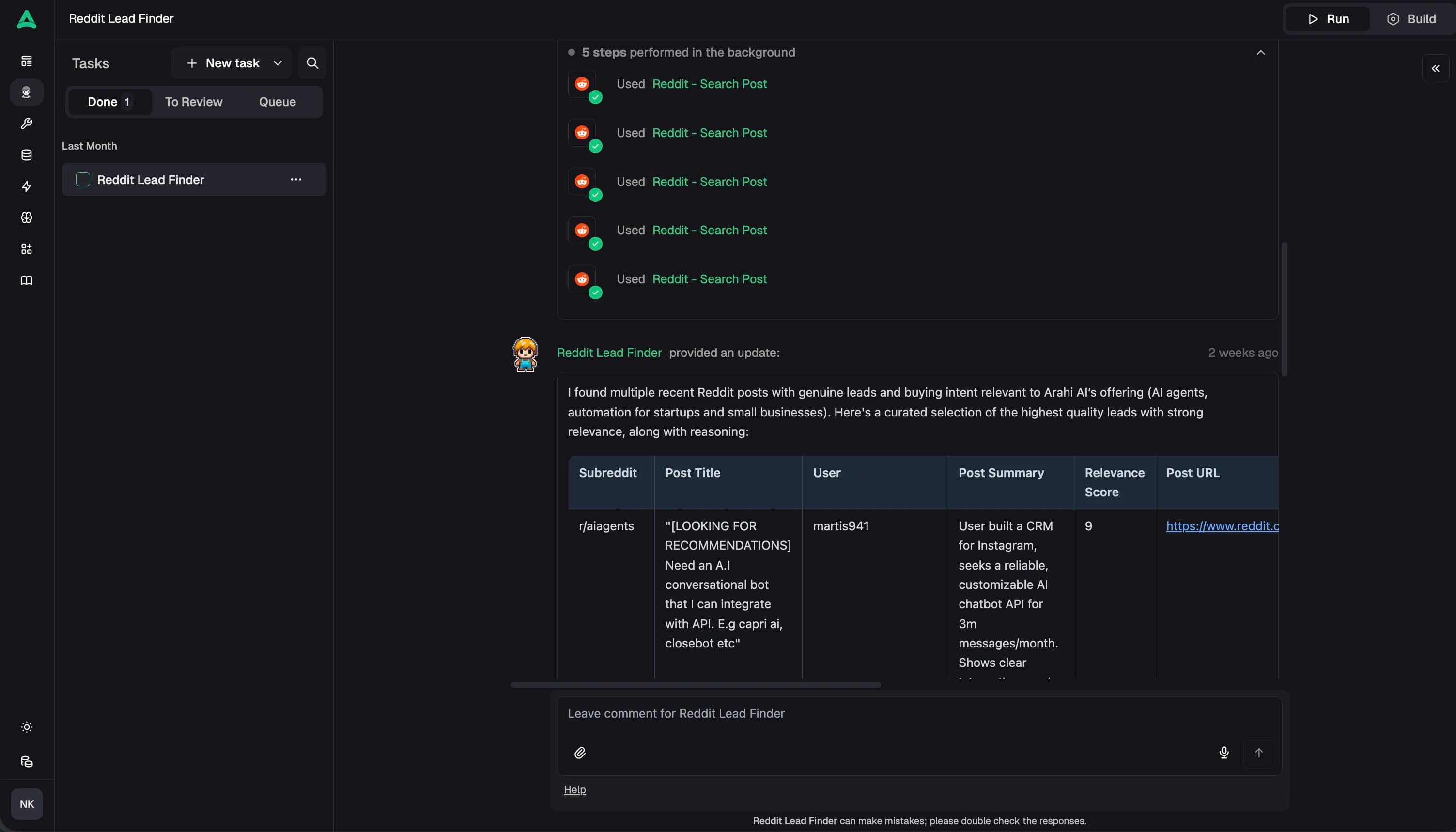
Here is a lead-qualifier agent built in DeskFerry from a single plain-English prompt, with no workflow canvas and no code. The trigger is a new website-form lead arriving in HubSpot. Step one, the agent reads the form and researches the company. Step two, the agent scores the lead from 1 to 5 against the ideal-customer rubric written into its instructions. Step three, for any score of 4 or above, the agent posts the lead to the #sales channel in Slack with a one-line reason; lower scores are left in HubSpot untouched. The approval point is configurable: during the first week, the post can wait for a person to approve it before it goes to the channel. The output is a short, reasoned shortlist instead of a raw form feed, and every run, with the research and score it used, is kept in run history. Watch the build below.
Try it · interactive demo
Build a lead-qualifying agent in plain English, no workflow canvas
 Lead QualifierLead Qualifier
Describe what this agent should do
NEO builds it from plain English: apps, schedule and instructions.
Create an agent named “Lead Qualifier”. When a new lead fills the website form in HubSpot, research the company, score it 1–5 against our ideal customer, and post anything 4 or above to #sales in Slack with a one-line reason.
Describe the agent in plain English, then send it to NEO.
Start free trialThe same build-by-description approach is covered in more depth in the AI agent builder overview and in how to build an AI agent.
Which business tasks are AI agents good at, and which are they bad at?
AI agents are good at recurring tasks that span several apps, follow rules a person could write down, and have a clear done state. They are bad at tasks with no written rule, no app to act in, or a legal, ethical or emotional judgment that someone must own.
The decision matrix below is our own scoring of common small-business tasks against those three tests. A task that passes all three is a strong first agent; a task that fails two is better left to a person, with the agent at most preparing context.
| Task | Repeats on a trigger or schedule? | Lives in apps? | Rules can be written down? | Verdict |
|---|---|---|---|---|
| Scoring and routing inbound leads | Yes | Yes | Yes | Strong first agent |
| Sorting a shared inbox and drafting replies | Yes | Yes | Mostly | Strong, with approval on sends |
| Chasing overdue invoices | Yes | Yes | Yes | Strong, with approval on every message |
| Weekly client or KPI report | Yes | Yes | Yes | Strong first agent |
| Updating the CRM after calls | Yes | Yes | Yes | Strong first agent |
| Answering a complaint from an angry client | Sometimes | Yes | No | Agent drafts context, human replies |
| Pricing a custom deal | No | Partly | No | Human decision |
| Firing a contractor or handling a legal dispute | No | Partly | No | Human only |
Pre-built versions of the strong rows exist as templates in the DeskFerry marketplace, so a first agent rarely needs to start from a blank prompt.
How many businesses actually use AI agents in 2026?
Most large organizations are trying AI agents, but few run them at scale. McKinsey's 2025 State of AI survey found 62% of organizations experimenting with agents and 23% scaling at least one. Gartner expects a shake-out, predicting more than 40% of agentic AI projects will be canceled by the end of 2027.
The numbers point in two directions at once. On the growth side, MarketsandMarkets sizes the AI agents market at $7.84 billion in 2025, rising to $52.62 billion by 2030, and Gartner predicts that by 2028, 33% of enterprise software applications will include agentic AI and 15% of day-to-day work decisions will be made autonomously, both up from near zero in 2024. On the caution side, the same Gartner release blames the expected cancellations on rising costs, unclear business value and weak risk controls, and warns about "agent washing," the relabeling of chatbots and old automation as agents. McKinsey's survey also found that in any single business function, no more than 10% of organizations were scaling agents. The practical reading for a small business is to start with one narrow, measurable job rather than a broad "AI transformation."
How do you start with one AI agent without writing code?
Start with one AI agent by picking a single recurring task with a clear finish line, describing it in plain English, connecting only the apps it needs, and keeping approval on for every outward action during the first week. Widen the agent's scope only after its run history shows it gets the job right.
DeskFerry's builder is prompt-based: there is no drag-and-drop canvas to wire up, and the agent is created from a written description like the lead-qualifier prompt above. A sensible first week runs as follows. On day one, list a week of repeat work and pick the task with the cleanest done state. On day two, write the job description: trigger, checks, success, and hard limits such as "never email a customer directly." Connect the apps the job needs, for example HubSpot and Slack. From day three to day seven, read the run history each day and tighten the instructions wherever an output needed fixing. Plans on the pricing page are $49 (Growth), $99 (Pro) and $299 (Scale) a month, and the 7-day free trial is long enough to run this whole first week before paying. Once the first agent is stable, the multi-agent team view lets a second agent pick up where the first one stops.
When DeskFerry is the wrong pick
- The job needs a phone or a voice. DeskFerry has no voice agents, so it cannot make or answer calls.
- The job means clicking through websites with no integration. DeskFerry has no browser agents; it acts through app integrations, not by driving a browser.
- Your team works only from phones. DeskFerry has no native mobile apps. It runs in a web browser and in Slack.
- The task has no written rule. If you cannot describe what "done right" looks like, no agent platform will guess it for you. Write the rule first.
Bottom line
An AI agent is the point where AI stops handing you text and starts finishing tasks in your own apps. The technology is ready for narrow, recurring, rule-based jobs; it is not ready to own decisions that nobody has written down. Start with one job, keep approval on, and let the run history tell you when to hand over more.