Most businesses have tried AI. Far fewer have put it to work. McKinsey's State of AI survey found 88% of organizations now use AI in at least one function and 62% are at least experimenting with agents, yet only 23% are scaling an agent anywhere in the company. The gap between "we tried ChatGPT" and "an agent runs our invoice collection" is where the return lives, and it is the gap this guide is about.
Below: what an AI agent for business actually is (and what it is not), twelve use cases across sales, marketing, support, operations, finance, and HR with the trigger, action, and approval point for each, a starter plan for small businesses with realistic costs, and a two-week pilot for proving the first agent. If you already know the job and need to pick a platform, go straight to our ranked comparison of the best AI agents for business.
Disclosure: This article is published by DeskFerry. We include our own product alongside competitors for transparency.
What Is an AI Agent for Business?
The vendor market attaches the word "agent" to almost anything now, so it is worth pinning down. An AI agent for business has four properties:
- It starts on a trigger, not a prompt. A new row in the CRM, an email landing in a shared inbox, a due date passing, a schedule firing. Nobody has to remember to run it.
- It reads across your tools. The agent pulls the lead record, the last three emails, and the company's website before it decides anything. Context is what separates a useful decision from a generic one.
- It decides and acts. It classifies, drafts, scores, routes, and then writes back: updates the record, sends the email, posts the summary, creates the task.
- It stops for approval where the risk is. Refunds, contract changes, anything that reaches a customer, anything that moves money. The agent queues the action; a person clicks approve.
That fourth property is what makes agents usable in a real business rather than a demo. If you cannot set an approval rule on a step, you do not have a business agent; you have a script with a language model inside it.
AI agent vs. automation
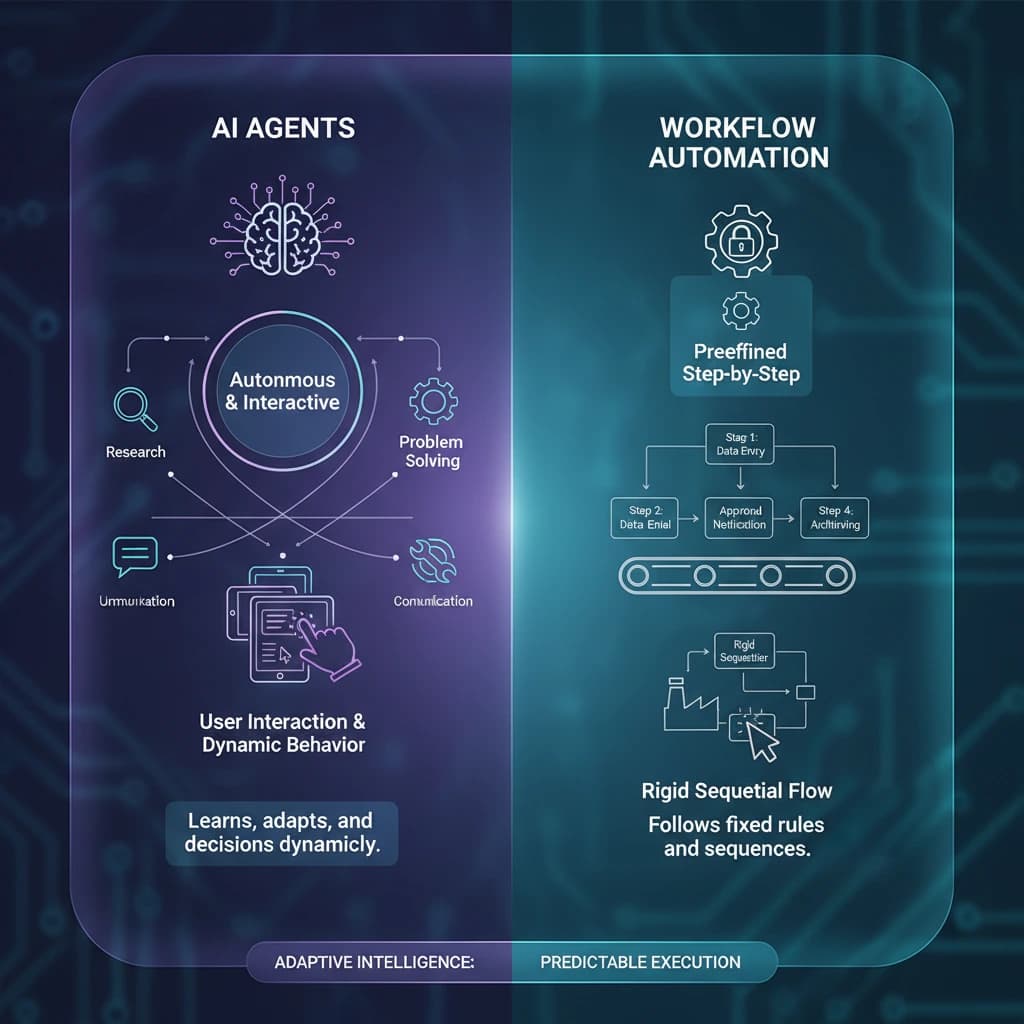
Rule-based automation (Zapier Zaps, Make scenarios, Power Automate flows) does exactly what you told it in advance. When a form is submitted, create a contact. When a deal closes, post to Slack. It is reliable and it is blind. It cannot tell you whether the lead is worth a call, why an invoice is being disputed, or which of the three refund policies applies.
An agent handles those steps, inside the same trigger-based skeleton. The practical difference shows up the first time a workflow needs someone to read something and decide. AI for business automation walks through the three layers, from task automation to workflow automation to agents that own a whole job.
AI agent vs. chatbot
A chatbot waits for a question and answers it. An agent takes a job and finishes it. The support chatbot tells the customer where the refund policy is; the support agent reads the order, checks the policy, drafts the refund, and puts it in front of a manager. Same model underneath, opposite relationship to the work. AI agent vs chatbot covers the distinction in more depth, and AI agent vs AI assistant draws the line with tools like Copilot and Gemini.
AI agents vs. AI employees
You will also see "AI employees" used for agents that are assigned a role rather than a single workflow: an AI sales development rep, an AI bookkeeper, an AI recruiter. The shape is the same, with a job description instead of a single trigger. DeskFerry's AI employees page explains how a role-shaped agent bundles several workflows under one set of permissions.
Where Businesses Actually Are With Agents in 2026
Three sources describe the same picture from different angles.
Adoption is broad, scaling is narrow. McKinsey's State of AI puts general AI use at 88% of organizations and agent experimentation at 62%, but scaling at 23%. Only about 6% of respondents qualify as high performers who attribute more than 5% of EBIT to AI. The distance between experimenting and scaling is not model quality; it is process clarity and permissions.
Small firms lag large ones, by a lot. The U.S. Census Bureau's Business Trends and Outlook Survey, published May 2026, found overall business AI use between 17% and 20% from December 2025 to May 2026. Firms with 250 or more employees were at 37%, firms with 100 to 249 at 32%, and firms with four or fewer employees under 20%. Use rose among firms with at least 20 employees over the period and did not move among smaller ones. That is the gap no-code agents exist to close, and the reason a dedicated small-business section is below.
A lot of projects will die. Gartner predicts over 40% of agentic AI projects will be canceled by the end of 2027, citing escalating costs, unclear business value, and inadequate risk controls. Read those three reasons as a checklist: know what the agent costs per run, know what it replaces, and know who approves what before it goes live.
Microsoft's 2026 Work Trend Index adds the workforce view: active agents across Microsoft 365 grew 15x year over year, and 86% of AI users say they treat AI output as a starting point rather than a final answer. Build your agents to match: draft and propose by default, act autonomously only where you have measured it is safe.
12 AI Agent Use Cases for Business, by Function
Every recipe below has the same four parts: trigger, what the agent does, where a person approves, and the output. Steps in italics are where the agent exercises judgment rather than following a rule. Pick the two that describe hours you personally lose each week; those are your first agents. AI agent use cases has a longer catalog if none of these fit.
Sales
1. Inbound lead qualification and first reply
- Trigger: new form submission, demo request, or inbound email.
- Agent: researches the company and contact → scores against your ideal customer profile → assigns an owner by territory → drafts a first reply that references what the lead actually asked → logs everything to the CRM.
- Approval: the rep approves the draft before it sends; scoring and routing run automatically.
- Output: an enriched CRM record with an owner and a reply waiting, inside minutes instead of the next business day.
2. Quote and proposal follow-up
- Trigger: a quote has been open for a set number of days with no reply.
- Agent: reads the deal history and the last thread → decides whether to nudge, offer a call, or flag for a discount conversation → drafts the follow-up in the rep's voice → schedules the send.
- Approval: any discount or term change is queued for the sales lead; plain nudges send after the rep's one-time sign-off on the template.
- Output: no open quote ages silently.
Marketing
3. Content repurposing and scheduling
- Trigger: a blog post, webinar, or case study is published.
- Agent: pulls the strongest claims and quotes → drafts platform-specific posts and an email blurb → queues them in the scheduler and the email tool.
- Approval: the marketer approves the batch before anything publishes.
- Output: a week of distribution from one asset. AI agents for marketing has nine more marketing recipes, including ad monitoring and review responses.
4. Weekly campaign and pipeline report
- Trigger: schedule, Monday 7 a.m.
- Agent: pulls ad spend, email, web, and CRM numbers → writes the narrative, names what changed and why → posts to Slack or email.
- Approval: none for the report; approval only if the agent recommends moving budget.
- Output: the report your team used to spend Monday morning assembling.
Customer support
5. Ticket triage and routing
- Trigger: new ticket, chat, or shared-inbox email.
- Agent: classifies intent and urgency → checks the customer's plan and history → routes to the right queue → drafts a first response from your help docs.
- Approval: the drafted reply goes to the support rep for review; routing and tagging are automatic.
- Output: every ticket categorized and a reply ready before a person opens it.
6. Refund and exception handling
- Trigger: a request that matches refund, cancellation, or billing dispute.
- Agent: reads the order and the applicable policy → determines eligibility and the amount → drafts the customer message → prepares the refund in the billing system.
- Approval: always. A manager approves the refund itself; the agent has done the reading and the math.
- Output: a decision-ready packet instead of a 20-minute investigation per case. AI agents for ecommerce covers the order-side version.
Operations
7. Order and delivery exceptions
- Trigger: a shipment misses a scan, a supplier confirms late, or inventory drops below a threshold.
- Agent: identifies which orders are affected → drafts customer notifications and a reorder or reroute recommendation → updates the ops board.
- Approval: reorders above a spend limit and any customer-facing message.
- Output: exceptions surfaced with a proposed fix instead of a spreadsheet hunt. See AI agents for logistics.
8. Vendor and project chasing
- Trigger: a deliverable or task is overdue in the project tool.
- Agent: reads the task and the last update → writes a status nudge appropriate to the owner (internal, client, vendor) → escalates after a second miss.
- Approval: client-facing nudges are approved by the account owner; internal ones send directly.
- Output: a project that chases itself. AI agents for project management goes deeper on status reporting and risk flags.
Finance
9. Invoice collection
- Trigger: an invoice passes 7, 14, or 30 days overdue.
- Agent: checks payment status in the accounting system → selects the right tone for the stage and the customer's history → drafts the reminder → logs the touch.
- Approval: the first two reminders send after one-time template approval; the 30-day escalation and any payment-plan offer go to the finance lead.
- Output: a collection sequence that never stalls because someone was busy. AI agents for accounting covers reconciliation and close alongside collections.
10. Expense and invoice review
- Trigger: a new expense report or supplier invoice arrives.
- Agent: extracts line items → checks against policy, the purchase order, and prior spend → flags duplicates, out-of-policy items, and missing receipts → routes for sign-off.
- Approval: the approver still approves; the agent has done the checking.
- Output: approvals that take a minute because the exceptions are already marked. AI agents for finance teams has the FP&A and variance-analysis versions.
HR and recruiting
11. Candidate screening and scheduling
- Trigger: a new application in the ATS.
- Agent: scores the resume against the role's must-haves → drafts a knockout-question email or a scheduling invite → books the screen on the recruiter's calendar.
- Approval: rejections are approved by a human; scheduling invites send automatically.
- Output: a recruiter who starts the day with a ranked shortlist and a full calendar. AI agents for recruiting covers sourcing and offer-stage workflows.
12. Employee onboarding
- Trigger: an offer is accepted.
- Agent: creates the checklist → drafts the welcome sequence and personalizes it to the role → requests accounts and equipment → schedules the first-week meetings → answers policy questions in Slack from the handbook.
- Approval: account provisioning requests go to IT; everything else runs.
- Output: a new hire who has a laptop, logins, and a calendar on day one. AI agents for HR covers the rest of the employee lifecycle.
Twelve jobs, one skeleton. That is the useful insight: once the first agent is running, the second is a template edit, not a new project. If you run an agency, the same recipes clone per client; AI agents for agencies shows how, and AI agents for legal teams shows the contract-review variant for regulated work.
AI Agents for Small Business: Three Starter Workflows and What They Cost
The Census numbers above are blunt: firms with fewer than 20 employees are not adopting AI at the rate larger ones are, and the smallest firms sit under 20%. The U.S. Chamber of Commerce's 2025 Empowering Small Business Report shows the other half of the story: 58% of small businesses say they use generative AI, up from 40% in 2024 and 23% in 2023, and 82% of small businesses using AI grew their workforce over the prior year. Small businesses are using AI to write and answer; they are mostly not yet using it to run a job. Three workflows fix that without a developer.
Workflow 1: Inbound lead reply within five minutes
Every small business loses leads to slow replies. Connect the contact form or inbox, describe your ideal customer, and have the agent draft a reply that answers the specific question and proposes a next step. You approve from your phone. Cost: one agent, a few hundred runs a month. Most platforms cover this on their entry plan.
Workflow 2: Invoice chasing
Connect the accounting tool (QuickBooks, Xero, FreshBooks). The agent checks overdue invoices every morning, sends the 7-day and 14-day reminders after you approve the templates once, and puts the 30-day escalation in front of you with the customer's history attached. This is the workflow with the clearest cash return.
Workflow 3: Weekly numbers in your inbox
Every Monday: revenue, new leads, open invoices, support volume, ad spend if you run ads, in five sentences with the one thing that changed. No approval needed. This is the agent that makes you trust the other two, because you see its work every week.
What a small business should expect to pay
Two line items:
- The platform. Entry plans on cross-stack platforms run $19 to $50 a month: DeskFerry Growth is $49 a month ($41 a month billed yearly), Relevance AI Pro is $19 a month billed annually, Zapier Agents Pro is about $33 a month billed annually, Lindy Team is from $49.99 per user a month. Zapier Agents and Relevance AI both have free plans (400 activities and 200 actions a month respectively) that can run one light workflow.
- The model usage. Every platform meters what the agent consumes in some unit (credits, actions, activities, executions). A lead-reply agent that runs 200 times a month costs far less than a research agent that reads ten pages per run. Budget the entry plan, run the three workflows for a month, and read the meter before deciding whether to upgrade.
For a three-workflow starter setup, $20 to $60 a month all-in is a realistic expectation for most small businesses. How much do AI agents cost breaks down each pricing model, and the AI for small business page has ready-made templates for the three workflows above.
What to Look for in an AI Agent Platform for Business
We judged tools on six criteria that matter when the agent is running a business process rather than a demo:
Stack coverage. A business runs on a CRM, an inbox, accounting software, a support tool, a project tool, and Slack or Teams. Can the agent act across all of them, or only inside one vendor's product?
Trigger depth. Schedules, webhooks, inbox events, record changes. Business workflows are cadence-driven, so "runs when I ask" is not enough.
Approval controls. Can you require a human on specific steps, per workflow, without a developer? This is the criterion Gartner's "inadequate risk controls" warning points at.
Memory. Does the agent remember the customer, the last decision, the exception you corrected last week? Without persistent memory every run starts from zero.
Logging. Every run, every draft, every approval, visible to the owner. You will need it the first time someone asks "who sent that?"
Pricing transparency. Per month, per user, per outcome, per credit, or sales quote, and how each scales with volume.
Which AI Agent Platform to Start With
You do not need to evaluate a dozen platforms to run your first agent. Your stack decides most of it:
Your work spans many apps (CRM, inbox, accounting, support, Slack). Start with a cross-stack no-code platform. DeskFerry is built for exactly the twelve use cases above: describe the job in plain English, connect the apps from 1,500+ integrations, set which steps need approval, and the agent runs on a schedule or trigger with every run logged. Pricing: 7-day free trial, then Growth $49 a month (5,000 credits), Pro $99 (12,000), or Scale $299 (40,000), with unlimited agents on every plan. Start with DeskFerry →
You already run Zaps. Zapier Agents add a judgment layer inside the same account, with a free allowance of agent activities each month. Watch the activity meter as volume grows. See DeskFerry vs Zapier.
Your operation lives inside one suite. Use its native agent: Salesforce Agentforce, HubSpot Breeze, or Microsoft Copilot Studio. They have the deepest context on their own data and stop at the suite's edge.
You have an engineer and want to own the workflow. n8n is open source, self-hostable, and priced per workflow execution on its cloud plans. Approval gates and memory are things you build rather than settings you toggle. See DeskFerry vs n8n.
For the full ranked comparison, with twelve platforms scored on deployment, security, integrations, and time to value, see the best AI agents for business.
How to Deploy Your First AI Agent for Business
Gartner's three reasons projects get canceled (cost, unclear value, weak risk controls) are all avoidable with a two-week pilot on one job.
Day 1: pick one job and write the "done" sentence. Not "automate sales." Rather: "Every inbound lead gets a scored record, an owner, and a drafted reply within five minutes." If you cannot write the sentence, you cannot measure the agent.
Day 2: document how a person does it today, including the exceptions. The exceptions are the instructions. "If the lead is a student, send the education pricing" is the kind of line the agent needs.
Days 3 and 4: build it in draft mode. Connect the two or three tools the job touches. Describe the steps as you would to a new hire. Set every external action to require approval. Replay last month's real inputs and score the drafts.
Days 5 to 10: run it live with approval on everything. Review every run. Fix the instructions where it was wrong. You are training the process, not the model.
Days 11 to 14: measure and loosen. Count hours saved and error rate. Promote the low-risk steps from "approve" to "notify." Leave approval on anything that touches money, contracts, or customers.
Then pick the second job. The AI for business automation guide covers the pilot in full, including the ROI math and the jobs you should not automate yet.
Frequently Asked Questions
What is an AI agent for business?
Software that owns a recurring job rather than a single task. It starts on a trigger (a new lead, an overdue invoice, a Monday schedule), reads the relevant records across your apps, decides what to do with a language model, and acts, pausing for a human before any step that carries risk.
What is the difference between an AI agent and business automation?
Automation follows fixed rules you wrote in advance. An agent handles the steps that need judgment (which lead deserves a call, why the invoice is disputed, what the reply should say) inside the same trigger-based structure. AI for business automation covers the three layers in detail.
How much do AI agents for business cost?
Cross-stack platforms run $19 to $99 a month for one busy agent. Suite agents are priced per outcome or per usage: HubSpot $0.50 per resolved conversation, Salesforce $2 per conversation or $500 per 100,000 Flex Credits, Microsoft $200 a month per 25,000 Copilot Credits. Add model usage on every platform. See how much do AI agents cost.
Can a small business use AI agents without a developer?
Yes. No-code platforms let you describe the job in plain English, connect apps with a login rather than an API key, and set approval rules with checkboxes. The skill you need is knowing your own process, including the exceptions.
Are AI agents for business safe to use?
As safe as the permissions and approval rules you give them. Keep a human approving anything that sends money, contacts a customer, changes a contract, or deletes data. Let agents run freely on research, drafting, classification, and internal reporting, and pick a platform that logs every run.
The Bottom Line
The businesses getting a return from AI agents in 2026 are not the ones with the most subscriptions. They are the ones that took one recurring job (the lead queue, the overdue invoices, the Monday report), handed it to an agent with a human on the risky step, measured the hours back, and cloned the pattern to the next job.
Every platform above has a free plan or a trial. The Census data says the smallest firms are the ones falling behind, and the twelve recipes above are the ones that close that gap fastest. Pick one this week. Write the "done" sentence. Two weeks from now you will know whether the agent earns its seat.
Related reading: Best AI Agents for Business · AI for Business Automation · AI Agent Use Cases · AI Agent Workflows · How to Create an AI Agent